
-
The Myzone App
-
A Smartwatch
-
A Myzone Account
The Myzone App
Download the App from the Google Play or Apple store to set up your account-you will need this prior to purchase.
Myzone Go is currently compatible with the following smart watches and Operating Systems;
- Apple Watch 4 or later running Watch OS 5.0 or later
- Samsung Watch 4 or later running Wear OS 3.0 or later
- Google Pixel Watch running Wear OS 3.0 or later.
- Garmin
Check your sharing permissions
iOS Apple Health
In your phone settings, select Health>Data Access and Devices>Myzone>Turn All On.
Android
This varies per device. You will receive these prompts on your first workout using your watch sensor. You must allow them all to log your workouts.
- Use precise or high accuracy location while using the app. For more details on location settings that are required, check out this FAQ.
- Allow Myzone access to your physical activity.
- Allow Myzone to access sensor data about your vital signs, while using the app.
- Allow Myzone to send you notifications (optional, but helps us diagnose problems if they arise.)
Creating a Myzone Account
If you don't already have a Myzone account, you will need to set one up.
After downloading the Myzone App on your phone, tap Sign Up to begin.
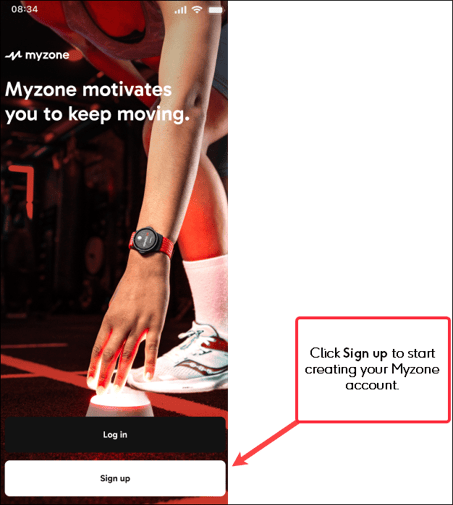
You will be prompted to select the Terms and Conditions, then enter your First and Last name that you want associated with your Myzone account.
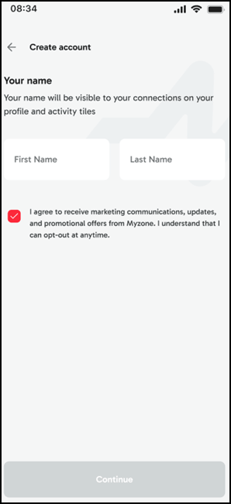
Select Continue
You will be asked to confirm your Country and enter your Date of Birth.
If you are below the digital age of consent for your selected country you will be unable to create an account. For information on how to set up a Youth account please refer to this help article.
To complete the account set up process, enter an email address that you want your Myzone account to be associated with, and create a password. Passwords must contain at least 8 characters, including an uppercase character and a number.
Click Create account.
As a security step, a 6 digit code will be emailed through to the address provided. You must enter this to confirm your account creation.
Once your account is verified, you will be able to connect a device and get moving!
Subscribing to Myzone Go
Select Subscribe to Myzone Go
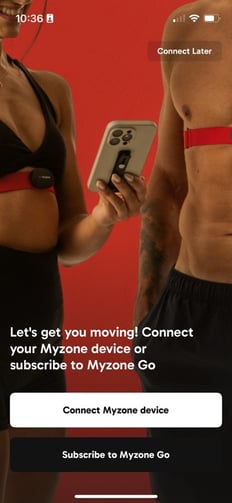
Select your subscription preference - 1 month, 6 months or 12 months.
Connect your watch to your Myzone App - Make sure you have the Myzone app installed on your Smartwatch, open the App on your watch and connect. NB The App will automatically know if you are pairing an Apple or Android watch.
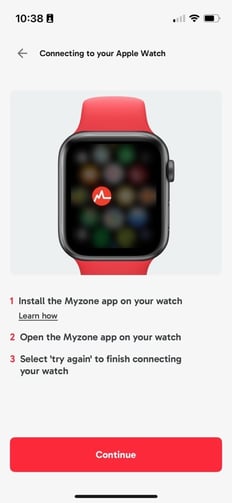
Once the connection has successfully been established, the Device successfully paired message will be displayed. 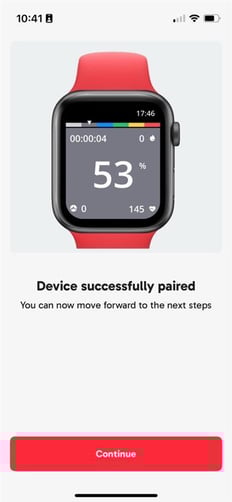
After the device has been paired, you can continue with your account set up - linking your Apple Health if applicable, and setting up your profile information. More detail on how to do this can be found in this article.