
1. From the Devices page in the Myzone App, find your Garmin and select Broadcast HR. If you don't yet have your Garmin connected, follow the steps outlined here first. 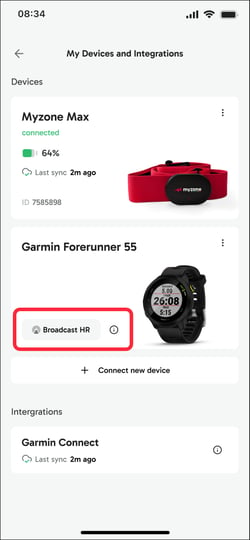
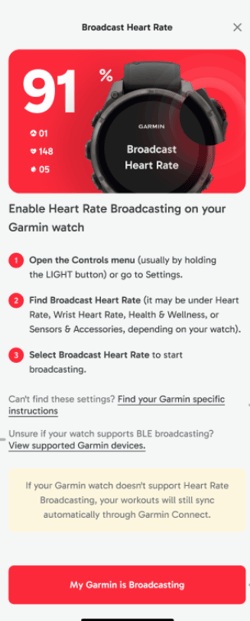
2. On your Garmin watch, go to Heart Rate Settings and turn on Broadcast.
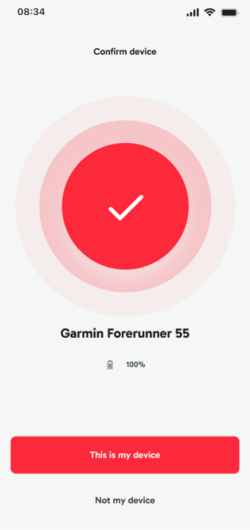
4. On the Confirm Device screen in the Myzone app, check that your Garmin Watch model is shown then confirm by clicking This is my device .
5. Your Garmin watch should now show as Broadcasting on your devices page in the Myzone app. 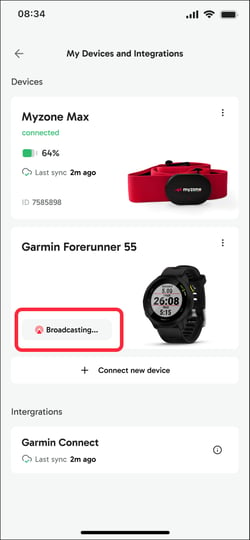
Once Broadcasting is turned on on your Garmin, if the device is already connected to the Myzone App the tile should automatically change to Broadcasting. You only need to follow these steps if you do not already see Broadcasting against your Garmin on the devices page in the Myzone app.
To see your live effort tile on the screen in a Myzone gym, scan the in facility QR code that should be displayed.