
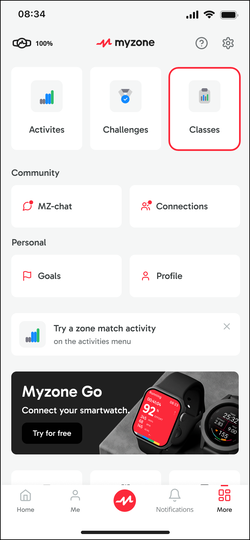
In the Myzone app, tap the More button in the bottom right hand corner, then select Classes.

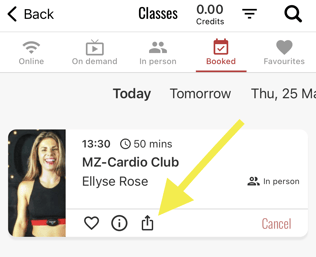
Select Online from the top menu bar to view and book your online class. If the class is already booked, navigate to the Booked menu item.

Share and invite a connection by tapping the share icon below the class name.
You can search for friends by typing their names in the "Filter Connections" bar. Select from your Custom Filters to share with a group of people. Tap the Tick in the upper right-hand corner to share the class with your selected connection.
Once you've shared the class, your connections will receive an MZ-Chat message from you with class details and the option to book a spot.