Blocking a Connection
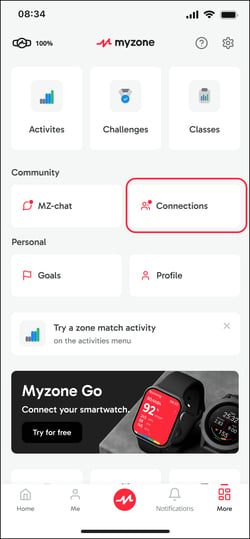
Select More in the bottom right hand corner of the App, then select Connections.
Using the 3 dot menu against a connection, select the option to Block Connection.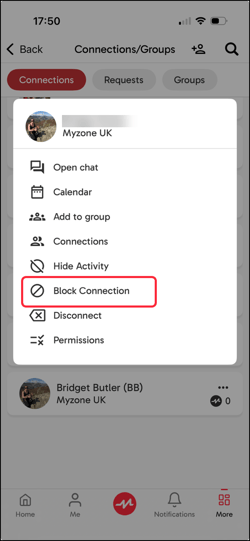 Connections will not be notified that you Blocked them.
Removing a Connection
In the Myzone app, tap More > Connections. Search for the connection and once found, tap on the 3 dots next to their name. Tap on Disconnect to remove them from your list.
Connections will not be notified that you disconnected with them.
Control What You Share
If you would like to connect but limit what you share or see, you can can manage this through permissions. This is done on an individual basis.
Open the Myzone app, tap More and select Connections. Search for the connection you would like to manage and tap the 3 dots next to their profile. Then tap on Permissions.
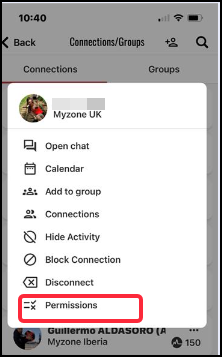
Adjust permissions using the toggle button.
From a Desktop
Log into your Myzone account from a desktop at user.myzone.org
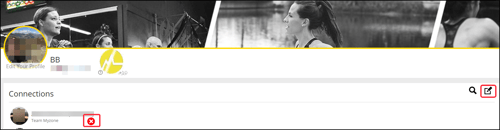
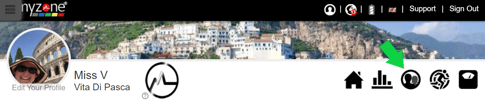
Click on the Connections icon from your home page.
Search for the user by clicking on the magnifying glass and entering their name.
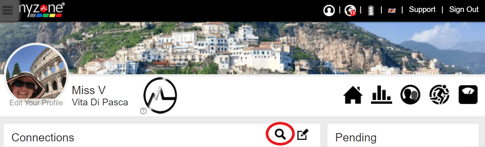
Click the Pencil icon to edit your connection list.
Click the red cross against a connection name to